

Welcome to the Senter Digital Archive!
In memory of Dorothy Senter Geoffrion, Elsie Senter Smith, and Mildred Senter Lemieux.
Recently Added
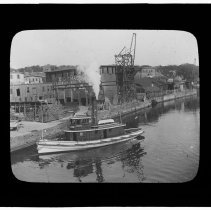 Tug Hazel Dell at Chase's Wharf |
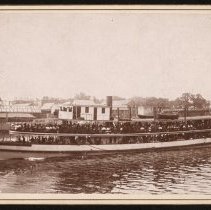 Steamer Merrimack, c. 1896 |
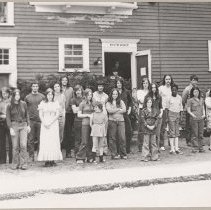 Prodigal House Mission Church, 1972 |
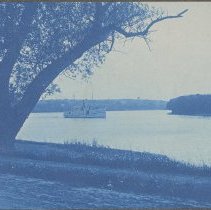 Steamer on the Merrimack River - cyanotype |
Keyword Search
The Keyword Search button allows you to perform a general search across multiple fields. See the Keyword Search page for tips. Any underlined link will take you to records related to that term. Searches are not case sensitive. Try some of these:
| Aerial | Diners | "Civil War" |
| Churches AND "Winter Street" | Maps | "Historic houses" |
| Countess | Schools AND Bradford | "Shoe industry" |
Browse by Term
Browse to see linked records - by People, Creators, Search Terms or Subjects.
Advanced Search
The Advanced Search button can help you be more specific with your search. You can search for a word or phrase within a particular search category or use multiple categories to further narrow down your search results. More Search Tips are available on this page.
Random Images
The Random Images button is a great way to simply browse the collection. Each Random Images page displays a random assortment of images from the records online. If you find something of interest, click the thumbnail to view a larger version of the image. Click the text link to go to the Record page for that photo.
Catalog Searches (All Photos)
The Photo catalog tab can also help you focus your search within the entire Photo catalog. Click the Photos tab at the top right of this page and type in your keyword(s) or phrase. You can also browse records within the Photo catalog without performing a search. Phrase searching, wildcards (*) as well as AND are available when performing catalog searches.
Requesting images without watermarks
To request copies of images without a watermark, please click the Request Image icon below each individual photograph and fill out the form. Please be advised that commercial use and publication use may have a charge per image. For a full list of fees and image request policies, please click here.
Individuals or organizations who would like to use images for publication, public display, posting online, or commercial use are also required to fill out a Permission to Use Materials form, located here. Please return this form by email, fax or regular mail in addition to filling out the Request Image form.
Find an error? How to submit corrections
To submit corrections to a photo record or identify an unknown person or place, click the Send Us Feedback icon at the upper right of the photo record and fill out the form. Please be advised that changes to catalog records may not appear online immediately. There will be no changes to the record if we are unable to verify the correction or update.